
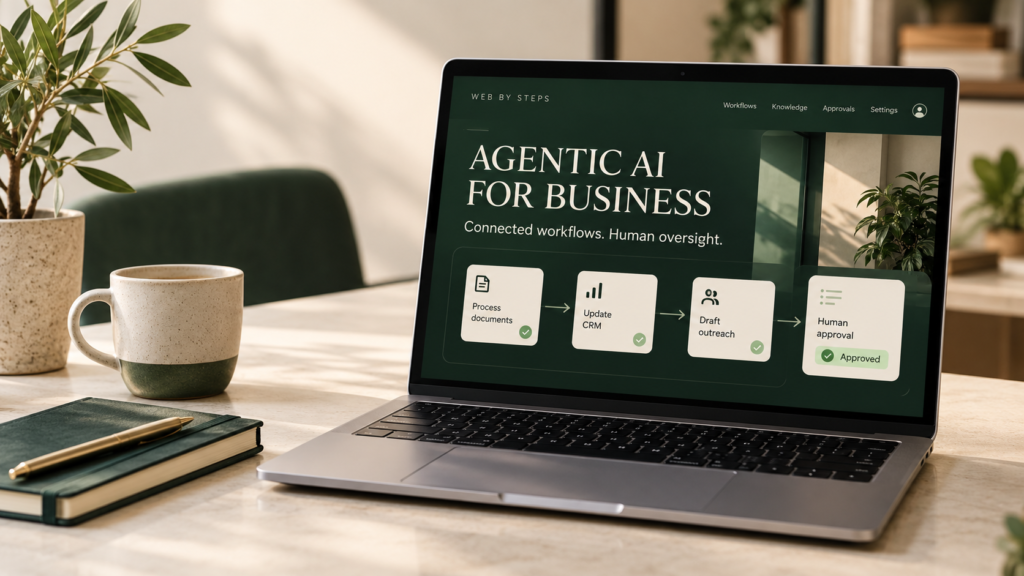
Many businesses already use AI to draft emails, summarize documents or answer questions. But work rarely ends with a written answer. Someone still needs to check a record, collect missing information, update a system and decide what happens next.
Agentic AI brings these connected steps into the same application. With the right tools and permissions, an AI agent can work toward a defined goal, inspect results and choose an appropriate next action.
For business owners, the useful question is straightforward: which workflow could benefit from that flexibility, and how much control should the system have?
What is agentic AI?
Agentic AI describes systems that use an AI model to choose and carry out steps toward a goal, using permitted tools and information. An agent might search documents, query a CRM or prepare an update. Its actions should stay within defined permissions, with human approval for consequential decisions.
The terminology varies between vendors. Anthropic makes a useful distinction: workflows follow predefined paths, while agents allow the model to decide more of the execution path. A system can combine both approaches.[1]
For example, a fixed workflow might send every new enquiry to the same inbox. An agent-assisted workflow could inspect the enquiry, identify missing details and propose a suitable next step.
That flexibility does not make an agent infallible. It still needs testing, boundaries and a way to stop or escalate when information is insufficient.
Agentic AI vs chatbots vs traditional automation
These categories overlap. A chatbot can be the interface to an agent, and an agent can operate inside a largely fixed workflow.
| Approach | How it typically works | Example |
|---|---|---|
| Traditional automation | Runs predefined rules and actions | Create a CRM record after a form submission |
| Basic AI chatbot | Generates conversational responses | Explain a service using approved website content |
| Agentic system | Chooses steps and uses tools within its permissions | Review an enquiry, check existing records and prepare a follow-up task |
If the rule is simply “when this form is submitted, send this email,” conventional automation may be easier to maintain. Agentic behavior becomes more useful when inputs vary and the next step requires interpretation.
How does an AI agent work?
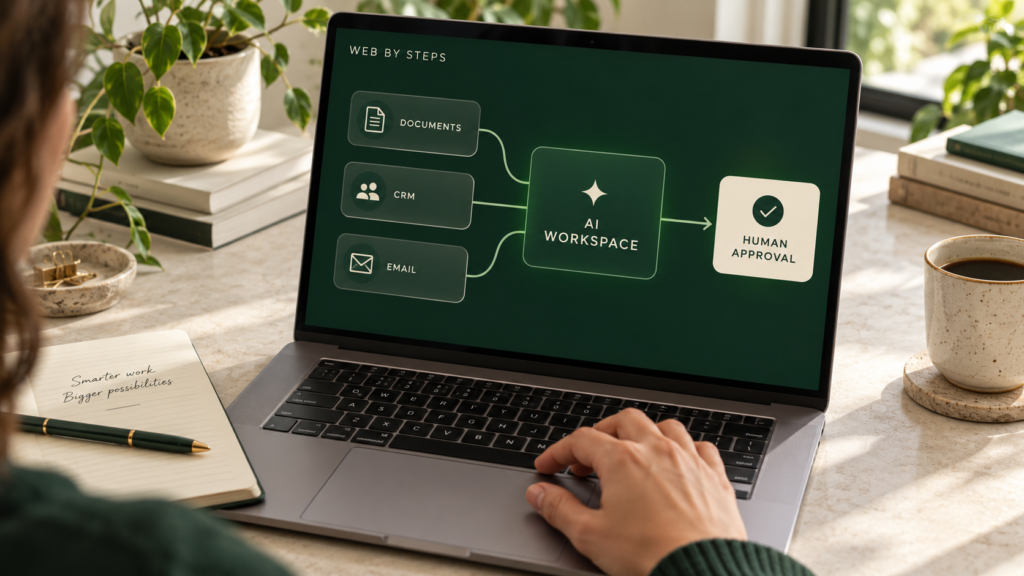
A business agent typically brings together five elements:
- A goal: a specific outcome, such as preparing a complete enquiry record.
- Instructions: rules for acceptable behavior, exclusions and escalation.
- Information: relevant documents, records or approved knowledge sources.
- Tools: narrowly scoped connections that let the application retrieve information or perform actions.
- Controls: permissions, approval requirements, logging and stopping conditions.
The application passes information to the model, receives a proposed response or tool request, executes authorized actions and returns results for the next step. The model does not gain access to business systems merely because they are mentioned in a prompt.
OpenAI’s agent guidance discusses tool use, guardrails and tracing as building blocks for agent applications.[2]
Five practical agentic AI use cases
The following are illustrative implementation ideas, not Web by Steps client results or promises of specific performance gains.
1. Lead intake and CRM assistance
An enquiry may arrive with a company name and a vague request, but no deadline or clear scope. An agent could summarize the request, look for an existing contact and prepare questions for the sales team.
An initial version could create internal tasks while keeping outbound messages subject to review. Duplicate detection and record-matching rules matter: an incorrect merge can be more disruptive than a missing summary.
2. Customer support triage
An agent could categorize a support request, retrieve a relevant help article and draft a response. It could escalate issues involving account access, billing disputes or missing information.
Start by defining which requests it can handle and which require a person. Refunds, account changes and other consequential actions should have explicit authorization rules.
3. Internal knowledge assistance
Teams often spend time searching proposals, documentation and operating procedures. A knowledge assistant could retrieve relevant passages and prepare an answer with source references.
This is where retrieval-augmented generation, or RAG, may help. Retrieval supplies relevant material to the model; agentic behavior adds choices about searches or permitted follow-up actions. RAG alone does not make a system agentic, and retrieved information still needs appropriate access controls.
4. Document intake and review preparation
A document workflow could extract selected fields, compare them against a checklist and flag missing information. For example, a supplier onboarding assistant could prepare a draft record for staff review.
The system should distinguish between an explicit fact and an inference. If a field is missing, marking it as unknown is more useful than inventing a plausible value.
5. Operations and reporting assistance
An agent could collect approved data from connected tools, summarize open tasks and draft an operational update. The resulting report should link back to the underlying records where possible.
Calculations and totals should use reliable application logic. A fluent summary is not evidence that the underlying numbers are correct.
When should a business avoid agentic AI?
An agent may be unnecessary when a workflow has a small number of stable rules. It may also be premature when source data is inconsistent, system access is unclear or no one owns the process.
Consider a simpler solution first if:
- A standard integration already solves the problem.
- Mistakes would be costly and cannot be reliably reviewed.
- The required platform has no suitable integration or authorized access.
- The task occurs too rarely to justify ongoing maintenance.
Automating an unclear process can make its problems harder to see. Define the workflow before choosing the technology.
Security and reliability need more than a prompt
An agent that reads an email or document may encounter malicious instructions embedded in that content. Treating external text as authorization can lead to unintended actions.
Practical controls include limiting tool permissions, checking authorization in application code, requiring approval for sensitive changes and retaining useful audit records. OWASP emphasizes least-privilege access and per-request authorization for agent data access.[3]
Also define limits on execution time, tool calls and spending. Decide what happens when an API fails, a record changes during execution or the agent cannot complete the task.
Human oversight must be specific. “Ask someone when uncertain” is less useful than an explicit rule that the agent cannot send a proposal, modify permissions or issue a refund without approval.
How to start with a controlled pilot
Choose one workflow with a clear owner and measurable outcome. For an enquiry assistant, the initial goal could be preparing an accurate draft CRM record for human review.
Then:
- Document the current process. Include exceptions and manual decisions.
- Define the permitted actions. Separate reading, drafting, writing and external communication.
- Prepare test examples. Include incomplete requests, duplicates and misleading content.
- Run a limited pilot. Begin with draft-only or read-only operation where practical.
- Measure and review. Track errors, corrections, costs and useful time savings before expanding access.
Suitable measures might include record accuracy, escalation quality, human correction rate and cost per completed task. Compare the results with the existing workflow rather than assuming every automated step is an improvement.
What affects AI agent development cost?
Cost depends on the workflow, integration access, data preparation, permissions, testing and ongoing operation. A read-only assistant and a system allowed to modify several business applications have different requirements.
Budget for model usage, hosting, monitoring, third-party services and maintenance as well as initial development. A proposal should explain these dependencies instead of presenting an unexplained fixed estimate.
Frequently asked questions
Can an AI agent connect to my existing CRM?
Potentially. The integration depends on your CRM’s API, account permissions, available actions and service limits. Review these before agreeing scope.
Does agentic AI replace employees?
It can assist with parts of a workflow, but people still need to own business decisions, review exceptions and maintain the system. Define the responsibilities of both the software and the team.
Do I need multiple agents?
Not necessarily. Start with the simplest architecture that meets the requirement. Additional agents add coordination and evaluation work, so each should serve a clear purpose.
Can a RAG assistant give incorrect answers?
Yes. Retrieval can supply useful context, but it does not guarantee correct retrieval or interpretation. Check source quality, permissions and answer accuracy during evaluation.
Can I start with a website chatbot?
Yes. A narrowly scoped assistant using approved website content can be a starting point. Add tool-based actions only when there is a clear use case and suitable controls.
Explore the right AI workflow for your business
Start with the process you want to improve: the inputs, the decisions, the tools and the expected result. Those details help establish whether you need an AI agent, a knowledge assistant or conventional automation.
At Web by Steps, we begin with your requirements and existing systems to discuss a practical implementation scope.
Discuss your AI project with Web by Steps, explore our AI solutions, or learn about custom CRM development.
References
- Anthropic, “Building effective agents”: https://www.anthropic.com/engineering/building-effective-agents
- OpenAI, “Building agents”: https://developers.openai.com/tracks/building-agents
- OWASP, “Agentic AI — AAI6”: https://cornucopia.owasp.org/cards/AAI6